Personalization
Cold Email Personalization at Scale: How to Send 500 Emails Without Sounding Robotic
Learn how to do cold email personalization at scale without sounding fake. A practical system for sending 500 personalized cold emails without writing every message from scratch.
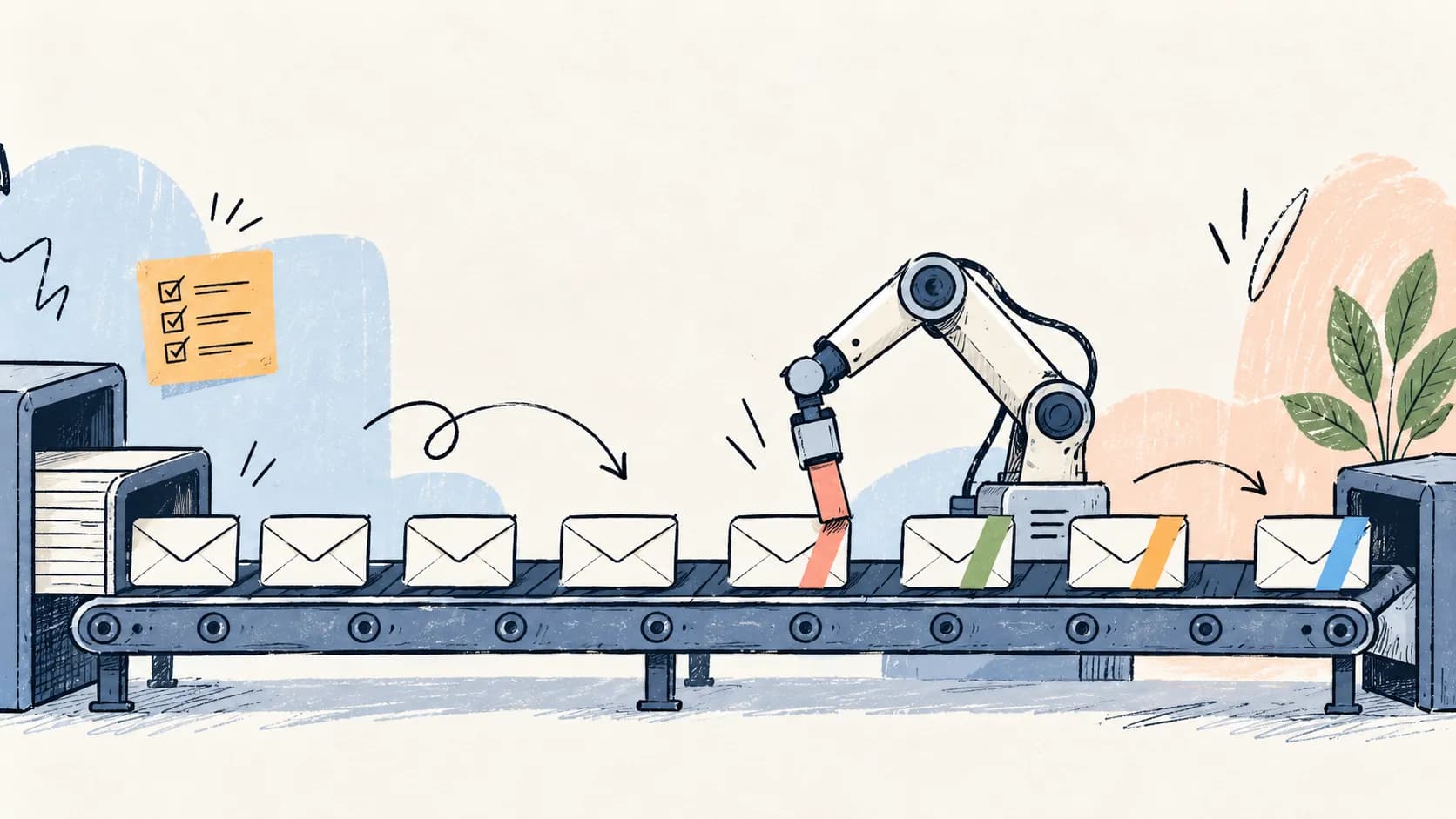
The first few cold emails always look good.
You open the company’s website. Skim the homepage. Check LinkedIn. Write a decent first line. Maybe even tweak the pitch a bit because this one prospect actually looks interesting. That part is easy.
The problem starts when the list stops being 20 companies and turns into 200.
Now reps are moving fast. Research is happening in random tabs. Notes are sitting in half-filled sheets. One person writes a good first line, another person rewrites it badly, and by the time you get to lead #140, “personalization” has somehow become:
{{first_name}}{{company_name}}- “Loved what you’re building”
- one vague compliment about the website
- the exact same pitch everyone else got
This is where most outbound teams quietly break. Not because personalization stops working. Because the process behind it does.
A lot of teams hit the same wall:
- they know personalized cold emails get better replies
- they don’t have time to research and write 500 one-off emails
- they try to scale with AI or templates
- quality drops fast
- the emails start sounding robotic
- then someone decides cold email “doesn’t work anymore”
Usually the real problem is simpler than that. The team never built a proper system for cold email personalization at scale in the first place. They tried to brute-force something that needed structure.
This article is about how to fix that. Not with fluffy “just personalize more” advice. And not with fake AI tricks that turn every opener into “impressed by your innovative approach.”
We’re going to break down how smart B2B teams actually do this: how to send hundreds of personalized cold emails without manually writing each one from scratch, where AI helps, where it makes things worse, what data is actually useful, and how to keep outreach feeling relevant even when volume goes up.
Outbird handles the research and the angle, but only after deciding the account is worth reaching out to. The Lead Intelligence Agent watches accounts for a real change (funding, a new hire, a hiring spree, a product launch) and only then hands it to the Conversation Intelligence Agent to build the actual message from what that person has said publicly.
What cold email personalization at scale actually means
A lot of bad cold email advice starts with a bad definition of personalization. So let’s fix that first.
Cold email personalization at scale does not mean writing 500 completely custom emails by hand. It also doesn’t mean taking a generic sequence and sprinkling in a few variables like {{first_name}}, {{company_name}}, “Saw your recent post” or “Loved your website.”
That’s not personalization. That’s just making a template look busy. Real personalized cold emails at scale work differently. The goal is to build a system where:
- useful prospect and company context is pulled automatically
- the right signals are structured instead of scattered across tabs and notes
- messaging changes based on relevant context, not random details
- the offer stays stable enough to learn from results
- the email still feels like it was written with intent
That last part matters. Because the real job of personalization isn’t to prove you researched someone. It’s to make the email feel relevant enough to keep reading.
That’s the standard. Not “did we mention their company name?” Not “did AI generate a first line?” Not “did the sequence tool fill in all the variables?” If the message doesn’t feel relevant to the person receiving it, it’s not personalized in any way that matters.
So when we talk about scalable cold email outreach, this is the working definition:
Personalization at scale is a system for producing relevant outreach consistently, without needing to hand-write every email from zero.
That system usually includes:
- a narrow ICP
- structured prospect research
- reusable personalization blocks
- role-based messaging
- trigger-based context
- stable offer/CTA logic
- a review loop before and after launch
That’s the difference between “we personalized 500 emails” and “we blasted 500 templates with different names on top.”
Why most “personalized” cold emails still feel robotic
A cold email can contain personalized details and still feel completely generic. That’s what trips people up. The problem usually isn’t that the email has no personalization. It’s that the personalization is shallow, irrelevant, or disconnected from the actual pitch.
This is also why so many teams end up thinking cold email itself is broken, when the real issue is the quality of the targeting, messaging, and system behind it. We broke that down in Why Cold Email Isn’t Dead in 2026 (You’re Just Doing It Wrong). Here’s what that looks like in practice.
1) Merge fields pretending to be personalization
Seen it“Hi Sarah, I wanted to reach out because at Acme you seem to be doing great work in the SaaS space.”
Nothing about that line earns attention. It doesn’t show understanding. It doesn’t point to a problem. It doesn’t tell the prospect why this email is for them instead of the other 600 people in the sequence. It just proves your tool can insert a name.
2) Generic AI compliments
Seen it“I came across your website and was impressed by your innovative solutions and customer-centric approach.”
This is probably the most common failure mode right now. Nobody believes this. And honestly, they shouldn’t. It’s the kind of line that sounds polished for half a second, then immediately reads like machine-generated filler. The issue isn’t that AI wrote it. The issue is that it says absolutely nothing.
3) Random facts with no connection to the offer
Seen it“Saw you recently hired a Head of People, congrats.”
A rep finds one detail and assumes the email is now personalized. Fine. But why is that relevant to the email? What does it change? Why are you bringing it up? If the observation doesn’t connect to a likely pain, opportunity, or reason for outreach, it’s just trivia wearing a personalization costume.
4) LinkedIn bio rewrites passed off as research
Seen it“Noticed you’re passionate about helping teams unlock growth and create amazing customer experiences.”
That’s usually just a cleaned-up version of their LinkedIn headline. It’s not insight. It’s not context. It doesn’t help the message land.
5) A personalized first line sitting on top of a generic email body
This one happens constantly. The first line sounds specific. Then the body drops into a totally generic pitch that could have been sent to anyone. That disconnect kills trust fast.
A lot of teams think they’re testing personalization when they’re actually changing the opener, the segment, the offer, the CTA and the tone all at once. Then the campaign underperforms and nobody knows what actually failed.
So yes, the first line matters. But if the rest of the email ignores the context you opened with, the prospect feels the mismatch immediately. Good personalization doesn’t stop at the first sentence. It should influence the angle, the problem framing, and sometimes even the proof you use.
The 5 layers of cold email personalization
Most teams treat personalization like one single thing. It’s not. There are layers to it, and some layers matter much more than others. If you want personalized cold emails at scale that still feel human, this is the framework worth thinking in.
Layer 1: ICP-level relevance
This is the base layer. If this part is weak, the rest doesn’t matter much. Before you personalize for a person, you need the message to make sense for the type of company and type of buyer you’re targeting.
For example, if you sell outbound software, your messaging should change depending on whether you’re targeting founder-led SaaS companies, SDR-heavy sales teams, outbound agencies, RevOps leaders, or growth teams in PLG companies. Even if two prospects are both in SaaS, they may not care about the same thing at all.
A founder at a 15-person startup might care about getting pipeline without hiring three SDRs. A Head of Sales at a 200-person company probably cares more about rep productivity, sequence performance, and consistency across campaigns. Same category. Different angle.
If the ICP-level relevance is off, no amount of “noticed your recent post” is going to save the email.
Layer 2: Company-level personalization
This is where the message starts feeling specific to the business itself. You’re looking for company context that changes the conversation in a meaningful way. Useful signals here include homepage positioning, product messaging, pricing model, case studies, target segment, hiring patterns, funding or expansion moves, and whether the company is founder-led, sales-led, or product-led.
The point isn’t to collect interesting facts. The point is to spot something that changes how you frame the problem.
Weak“Loved what your team is building at X.”
Better“Looks like you’re moving upmarket based on the homepage copy and recent case studies. That’s usually where outbound gets harder because the list gets smaller and generic outreach gets expensive fast.”
That’s a company observation connected to a likely sales problem.
Layer 3: Role-level personalization
Different people inside the same company care about different outcomes. This sounds obvious, but teams still send the same email to founders, SDR leaders, marketers, and RevOps people and wonder why reply rates are inconsistent.
- A founder might care about doing more with a lean team, speeding up pipeline creation, and not hiring more outbound headcount too early.
- A Head of Sales might care about rep output, reply rates, pipeline quality, and how fast the team can scale without quality dropping.
- RevOps probably cares about process consistency, data quality, workflow sprawl, and tool chaos.
Same company. Same product. Different buying logic. If the email ignores that, it feels lazy even if the first line is personalized.
Layer 4: Trigger-based personalization
This is where timing enters the picture. A trigger is a signal that something changed in the company, and that change makes your email more relevant right now: hiring SDRs or AEs, raising funding, moving upmarket, launching a new product, expanding into a new segment, changing positioning, or posting actively about pipeline, outbound, or growth.
Good trigger-based personalization gives the email a reason to exist today.
Example“Saw you’re hiring SDRs while pushing into mid-market accounts. That’s usually the point where outbound volume needs to go up, but manual personalization starts breaking before the new reps are even fully ramped.”
That’s much stronger than “congrats on the growth.”
Layer 5: Pain-point personalization
This is the most important layer, and it’s the one most teams skip. The job of personalization is not to mention a fact. It’s to connect a fact to a likely problem worth solving. That’s the difference between “we researched them” and “this email is actually relevant.”
Weak“Noticed you’ve been posting a lot on LinkedIn recently.”
Better“Saw you’re posting pretty actively around pipeline and outbound. Usually when founders are that close to the GTM motion, it means they care a lot about messaging quality, but the actual outreach system still hasn’t caught up, so reps end up sending generic emails with a personalized first line on top.”
That’s a much more useful place to start a cold email from.
Which type of personalization actually scales?
Not all personalization is worth scaling. Some of it is just cosmetic. Some of it actually changes the quality of the conversation. Here’s the difference.
| Type | Example | Scalable? | Likely impact |
|---|---|---|---|
| First-name merge field | “Hi John” | Yes | Very low |
| Company name mention | “At Acme…” | Yes | Very low |
| Generic compliment | “Loved your website” | Yes | Low to negative |
| Company-level observation | Messaging shift, hiring pattern, market move | Yes, if structured | High |
| Role-level angle | Founder vs Head of Sales vs RevOps framing | Yes | High |
| Trigger-based personalization | Hiring SDRs, funding, expansion | Yes | High |
| Pain-point personalization | Connecting a signal to a likely operational problem | Yes, with a good system | Very high |
| Fully custom hand-written email | One-off bespoke note | No, not at volume | High, but not scalable |
If you’re trying to improve cold email personalization at scale, this table is the whole game. Scale the things that change relevance. Stop obsessing over the things that only make the email look personalized.
How to personalize 500 cold emails without writing 500 from scratch
This is the part most blog posts glide over. They’ll say “use AI” or “segment your list” and move on. But the workflow is the real thing people need. So here’s a practical system for how to send personalized cold emails at scale without turning the team into full-time researchers.
Step 1: Start with one narrow ICP
If your list includes SaaS founders, agencies, ecommerce brands, consultants, recruiters, and healthcare startups, you do not have a personalization problem. You have a targeting problem.
Pick one narrow segment first. For example:
- founder-led B2B SaaS companies with 10–50 employees
- sales-led SaaS teams hiring SDRs
- outbound agencies serving B2B clients
- companies moving from SMB into mid-market
The narrower the ICP, the easier it is to build reusable personalization logic that doesn’t sound fake. This is also where most campaigns quietly go wrong. Teams want volume, so they widen the list too early. Then they wonder why every email needs a different angle and nothing scales properly.
Step 2: Group leads by meaningful similarity
You do not want 500 unrelated companies in one campaign. You want clusters. For example:
- companies hiring SDRs
- companies with weak or generic homepage messaging
- founder-led teams posting actively about outbound
- companies moving upmarket
- agencies running outbound for clients
- recently funded teams building GTM from scratch
These clusters are what let you write reusable personalization blocks that still feel relevant. Without them, the team ends up trying to personalize lead by lead forever, which is exactly the bottleneck you’re trying to escape.
Step 3: Capture structured signals, not random notes
This is one of those things that sounds boring until you’ve seen a team try to scale without it. Once reps start researching in random tabs, dropping notes into half-finished sheets, and interpreting every lead differently, the whole process falls apart after the first decent-sized list.
For each lead, you want a small set of structured inputs like:
- company name
- ICP / company category
- role of contact
- one trigger or recent change
- one likely pain angle
- one relevant company-level observation
- one personalization block category
That’s enough to write something relevant without drowning the team in research. It also shows where Outbird sits: one step before this list. It’s already watching for the trigger, so the research starts from a real change at the account instead of a blank row in a CSV.
Step 4: Build personalization blocks, not one-off intros
This is where scalable personalization actually happens. A personalization block is a reusable opener or angle tied to a pattern you keep seeing across similar leads. Instead of writing 80 completely different intros for 80 companies hiring SDRs, you create 3–5 strong variations for that scenario.
Hiring SDRs“Saw you’re hiring SDRs. Usually that’s the point where outbound volume starts growing faster than the team’s ability to keep the messaging sharp, especially if reps are still researching and writing first lines manually.”
Upmarket“Looks like the positioning is shifting toward mid-market based on the homepage and recent case studies. That transition usually makes generic outbound more expensive because the list gets smaller and every email has to work harder.”
Agency“Looks like you’re running outbound across multiple client accounts. That usually means the bottleneck isn’t sending more campaigns, it’s keeping research and personalization quality consistent across very different offers.”
That’s the level you want to operate at. Not “custom email for every single lead.” Not “one generic template for everyone.” A middle layer built around patterns.
Step 5: Use AI to draft variations, not to invent the strategy
AI is useful. But only if you use it at the right point in the workflow.
Bad use of AI: “Write 500 personalized cold emails for this CSV,” with no segmentation logic, no structured inputs, no clear pain angle, no QA and no stable offer. That’s how you get 500 polished-sounding bad emails.
Better use of AI:
- summarize website and company context
- classify leads into clusters
- turn raw research into draft personalization blocks
- adapt tone for founder vs Head of Sales vs RevOps
- generate 3–5 opener variations once the angle is already good
- help with follow-ups after the core email is set
The key point: AI should speed up a system you already designed. It shouldn’t be asked to create the system for you. Outbird follows the same rule: it decides which accounts have a real reason to hear from you first, and only drafts once that decision is made. It isn’t built to mass-produce intros from a CSV.
Step 6: Keep the offer and CTA stable
A lot of teams think they’re testing personalization when they’re actually changing everything at once. They personalize the opener, change the offer, tweak the CTA, switch the tone, and target a different segment in the same campaign. Then nothing works and nobody knows why.
A better setup looks like this:
- Variable: opener / context / pain framing
- Mostly stable: offer, value proposition, CTA
- Lightly adaptable: proof or one supporting sentence by segment
That gives you room to personalize without turning the campaign into chaos.
Step 7: Review the first batch manually before sending at volume
Do not trust automation just because the emails look smooth. Review the first 20–30 emails and ask:
- does this sound like something a smart human would actually send?
- is the observation relevant or just technically personalized?
- is the body aligned with the opener?
- did AI invent anything weird?
- would this still make sense if I received it cold?
You catch most of the embarrassing mistakes here: fake compliments, irrelevant triggers, intros that feel specific but bodies that feel mass-sent, over-polished AI phrasing, and hallucinated details.
Step 8: Watch reply quality, not just send volume
The easiest way to fool yourself in outbound is to look at activity metrics and assume the campaign is fine. The better signal is replies. Look at positive replies, neutral curiosity replies, confused replies, “not relevant” replies, spam complaints, and prospects calling out generic outreach. That’s where you’ll find out whether the personalization is actually landing.
A simple personalization workflow for a 500-lead campaign
If you want a practical version of all of this, here’s the simplest framework I’d use for a 500-lead outbound campaign. For each lead, capture just 5 things:
- Company / ICP category. Example: founder-led SaaS, outbound agency, mid-market sales team.
- One relevant trigger. Example: hiring SDRs, recent funding, moving upmarket, founder posting about pipeline.
- One likely pain. Example: manual personalization doesn’t scale, messaging isn’t translating into outbound, reps are spending too much time researching.
- One role-specific angle. Example: founder cares about leverage, Head of Sales cares about reply rates and rep productivity.
- One stable CTA. Example: worth showing how teams are automating personalization without making the emails feel templated?
That gives you enough to build the actual email:
- 01
Intro line. Use the trigger + company context.
- 02
Pain framing. Connect the trigger to a likely problem.
- 03
Body. Tie that problem to your offer with one clear value proposition.
- 04
CTA. Keep it simple and stable.
That’s it. Not 25 data points. Not a giant research dossier. Just enough structure to make the email relevant without slowing the campaign to a crawl.
What data should you actually use for cold email personalization?
This is where teams lose a lot of time. Not every data point deserves a place in the email. And not every signal is useful just because you can scrape it. The better question is: what information actually changes the message?
High-value personalization signals
| Signal | What it tells you |
|---|---|
| Homepage positioning | Who they sell to, how clearly they describe the product, whether they’re moving upmarket, whether their GTM story is sharp or generic |
| Product and solution pages | The use case they care about most, the buyer persona, the complexity of the product, how mature the sales motion probably is |
| Job posts | An underrated signal: whether they’re building outbound, investing in RevOps, hiring SDRs, or trying to improve pipeline generation or sales process |
| Funding or expansion | Useful when it clearly connects to GTM change: new funding round, new market expansion, headcount growth, enterprise push, sales team buildout |
| Case studies and customer stories | Who they really want more of, how mature their positioning is, what outcomes they sell around |
| Founder / leadership content | Especially useful in founder-led SaaS: what they’re focused on right now, what’s frustrating them, how they talk about growth, whether outbound is already on their mind |
| Pricing page and packaging | Self-serve vs sales-led motion, SMB vs mid-market vs enterprise focus, product maturity, monetization logic |
Low-value personalization signals
These are the ones people overuse because they sound personal but rarely make the email better.
- “Loved your website.” Usually fake. Almost always useless.
- “Congrats on your recent success.” Too vague to matter.
- Random personal trivia. A marathon photo, coffee post, college mention. Unless it genuinely connects to your reason for reaching out, it probably doesn’t belong in the email.
- Job title + company name only. Good for routing. Not enough for relevance.
- Any detail that doesn’t change the message. This is the easiest filter to use. If the detail doesn’t change the problem framing, the angle, or the reason for the email, leave it out.
Cold email personalization examples: bad vs better
The easiest way to explain good personalization is to show the difference between a line that sounds “personalized” and a line that actually feels relevant.
Example 1: Hiring SDRs
Bad“Hey Jake, saw you’re hiring SDRs at Northbeam and loved what you’re building.”
Better“Saw you’re hiring SDRs. Usually that’s the point where outbound volume starts climbing, but personalization quality drops because reps are still doing too much of the research manually.”
WhyIt’s shorter, more believable, and it actually points to a likely problem.
Example 2: Moving upmarket
Bad“Congrats on the growth at Acme. Looks like exciting things are happening.”
Better“Looks like you’re moving upmarket based on the recent case studies and pricing language. That shift usually makes generic outbound more expensive fast.”
WhyIt doesn’t waste time with filler. It connects the observation to a real sales consequence.
Example 3: Weak messaging on the site
Bad“I checked your site and really liked your innovative messaging around customer engagement.”
Better“Went through the homepage and a couple of solution pages, feels like the product is clear, but the outbound angle still isn’t. That’s usually where reps end up defaulting to generic first lines.”
WhyIt sounds like an actual observation, not a compliment generator.
Example 4: Founder posting about pipeline
Bad“Loved your recent LinkedIn post on growth. Really insightful.”
Better“Saw you’ve been posting a lot around pipeline recently. Usually when founders are that close to the GTM motion, it’s because messaging quality actually matters, but the outreach process still hasn’t caught up.”
WhyIt uses the content signal as context, not as flattery.
Example 5: Agency running outbound for clients
Bad“Came across your agency and thought this might be relevant.”
Better“Looks like you’re running outbound for multiple client accounts. That usually means the real bottleneck isn’t sending more emails, it’s keeping research and personalization quality consistent across very different campaigns.”
WhyIt speaks directly to the operational pain of that business model.
Where AI helps, and where it makes personalization worse
AI cold email personalization is one of those areas where both the hype and the backlash are partly right. Yes, AI can help you personalize cold emails at scale. It can also turn your campaign into polished spam if you use it lazily. The difference is where it sits in the workflow.
Where AI actually helps
- Summarizing research. AI is genuinely useful for turning messy website, LinkedIn, and company data into something usable. That saves a lot of time.
- Grouping leads into clusters. If your signals are structured, AI can help classify leads into categories like hiring SDRs, moving upmarket, founder-led GTM, weak outbound messaging, agency model, or recent funding. That makes scalable personalization much easier.
- Drafting opener variations. Once you already have a strong angle, AI can help generate a few versions of the opener without making the rep rewrite everything manually.
- Adapting tone by role. Founder email vs Head of Sales email vs RevOps email, same core idea, slightly different framing. AI can help there.
- Helping with follow-ups. Once the core message is set, AI can help build follow-ups that don’t feel like copy-pasted reminders.
This is where Outbird works differently from an AI writing tool. Before any of these drafting steps happen, it has already decided whether the account is worth contacting at all, so the AI is helping with accounts that have a live reason to talk, not polishing emails to accounts that don’t.
Related readAI Cold Email Personalization: How Top B2B Teams Get 3X More Replies in 2026Where AI makes things worse
- Fake compliments. AI loves writing lines like “I was impressed by your innovative platform,” “Loved your customer-centric approach” or “You’re doing incredible work in the space.” These lines sound polished and empty at the same time.
- Hallucinated context. If the underlying inputs are messy, AI can invent details confidently enough that the email still looks clean. That’s a problem.
- The same “human-sounding” voice for everyone. Sometimes AI makes every email sound smooth in exactly the same way. That’s not personalization. That’s one tone wearing 500 different names.
- Speed without strategy. If the ICP is too broad, the signals are weak, and the offer is unclear, AI doesn’t fix anything. It just helps you send a broken message faster.
That’s why the useful way to think about AI is simple:
AI should reduce manual work inside a good outbound system. It should not be the outbound system.
Common mistakes teams make when personalizing cold emails at scale
If a campaign is “personalized” and still not getting replies, one of these is usually going on.
- The ICP is too broad. The wider the segment, the harder it is to keep the message relevant.
- The team is changing too many things at once. The opener changes, the offer changes, the CTA changes, the segment changes, then nobody knows what actually caused the result.
- They’re personalizing details instead of problems. Mentioning a fact is not the same as making the email relevant.
- Multiple segments are being forced into one sequence. Different segments usually need different pain framing. One bloated “master sequence” tends to underperform.
- The first line is personalized, but the body is generic. Prospects notice this immediately.
- The offer changes too often. If every email pitches something slightly different, there’s nothing to learn from the campaign.
- Deliverability is being ignored. A well-personalized email still needs to land in the inbox.
- Nobody is reviewing reply quality. Open rates are easy to stare at. Replies tell you whether the message actually made sense.
Before you launch: quick checklist
Campaign QA checklist
- Is the ICP narrow enough that one message angle genuinely makes sense?
- Have you grouped leads into meaningful clusters instead of one giant mixed list?
- Is each personalization input tied to a likely pain, trigger, or business change?
- Are you using company-level and role-level context instead of just merge fields?
- Does the body of the email actually match the personalized opener?
- Is the offer stable enough to learn from results?
- Have you manually reviewed a sample of emails before launching volume?
- Is deliverability healthy?
- Do you have a plan to review replies and refine the campaign?
If the answer to most of these is no, the problem probably isn’t “we need more personalization.” It’s that the system behind the campaign still isn’t solid.
How Outbird fits into this workflow
The hard part of outbound isn’t writing one good email. It’s knowing which of your 500 target accounts actually have a reason to hear from you today.
That’s what Outbird solves first. The Lead Intelligence Agent watches your ICP accounts continuously and combines signals (a new VP hire, a hiring spree, a funding round, a founder post about the exact problem you solve) into a single judgment: act now, keep watching, or ignore. Most accounts sit in watch or ignore at any given moment. That’s on purpose. Reaching out to an account with no real reason to talk is the same mistake as generic personalization, just earlier in the funnel.
Before any of this activates, Outbird has already been quietly warming the relationship in the background: light engagement on LinkedIn, a genuine comment, subscribing to their content, so the account isn’t cold the moment a real opportunity appears.
Once an account crosses into “act,” the Conversation Intelligence Agent builds the actual outreach from that person’s own content, tracks where the conversation stands, and adjusts across email, LinkedIn, WhatsApp, and SMS as needed.
If you already use Clay, Apollo, or an AI SDR like 11x, this doesn’t replace your list. Those tools build and enrich it. Outbird decides which accounts on it deserve action as it changes over time.
Personalization is real and it matters. But it’s the last step, not the product.
Conclusion: personalization at scale is mostly a workflow problem
If there’s one thing worth taking from this whole guide, it’s this: you do not need 500 fully custom emails. You need a better system for relevance.
The teams that do cold email personalization at scale well are usually not the teams writing every message from scratch. They’re the teams that figured out how to combine a narrow ICP, useful signals, strong pain-angle logic, reusable personalization blocks, AI in the right places, stable offers, and feedback loops based on replies.
That’s what makes it possible to send hundreds of personalized cold emails without sounding robotic. So if your current outreach feels stuck between two bad options, manual and slow, or automated and soulless, that’s the wrong tradeoff. There’s a better middle ground.
Build the workflow. Structure the context. Personalize the parts that actually change the message. That’s how you scale cold email without killing the part that makes it work.
Frequently asked questions
What is cold email personalization at scale?
Cold email personalization at scale is the process of sending large volumes of outreach while still making each email feel relevant to the recipient. It doesn't mean writing every email manually. It means using structured research, segmentation, and reusable personalization logic so the message still feels specific.
How much personalization is enough in a cold email?
Usually less than people think. One strong company-level or trigger-based observation tied to a real pain point is often enough. The goal isn't to prove you researched them. It's to make the email feel relevant.
Can AI personalize cold emails effectively?
Yes, if it's used in the right part of the workflow. AI is useful for research summarization, clustering leads, drafting opener variations, and helping with follow-ups. It's much less useful when you ask it to blindly generate "personalized" outreach with no structure behind it.
How do I personalize cold emails in bulk without sounding robotic?
Start with a narrow ICP, group similar leads together, capture structured signals, build reusable personalization blocks, keep the offer stable, and manually review samples before sending at volume.
Is first-line personalization enough?
No, not usually. A personalized opener helps, but if the rest of the email is generic, the message still feels mass-sent. Good personalization should influence the angle and problem framing, not just the first line.
What are the best cold email personalization examples?
The best examples connect a company signal, role context, or trigger event to a likely business problem. Mentioning that a company is hiring SDRs is fine. Explaining why that probably creates an outbound personalization bottleneck is much better.
How many variables should a personalized cold email include?
Usually fewer than most teams use. One or two strong variables tied to a relevant pain point are often enough. Too many variables can make the email feel unstable, over-engineered, or fake.
Is cold email personalization worth the effort?
Yes, if it's done with a proper system. Better personalization improves reply quality, makes outreach feel more relevant, and reduces the "this was clearly mass-sent" reaction. Shallow personalization usually isn't worth much.
What data is best for personalized cold emails?
Homepage positioning, product pages, hiring activity, funding, case studies, founder content, pricing pages, and recent GTM changes are usually the strongest signals. Generic compliments and random trivia usually aren't.
How do I avoid sounding robotic in personalized outreach?
Use observations that actually change the message. Avoid generic compliments, avoid over-polished AI phrasing, and make sure the body of the email matches the context in the opener.